
Huawei Switch Stacking Configurations

Today, I will cover Huawei switch stacking configuration concepts & clear all the confusion that mostly engineers are facing specially cross connection of ports between switches.
You can learn what is stacking and why we are using stacking in my previous H3C stacking port, but I will focus on how to establish Huawei switch stacking.
Huawei Switch Stacking Connection
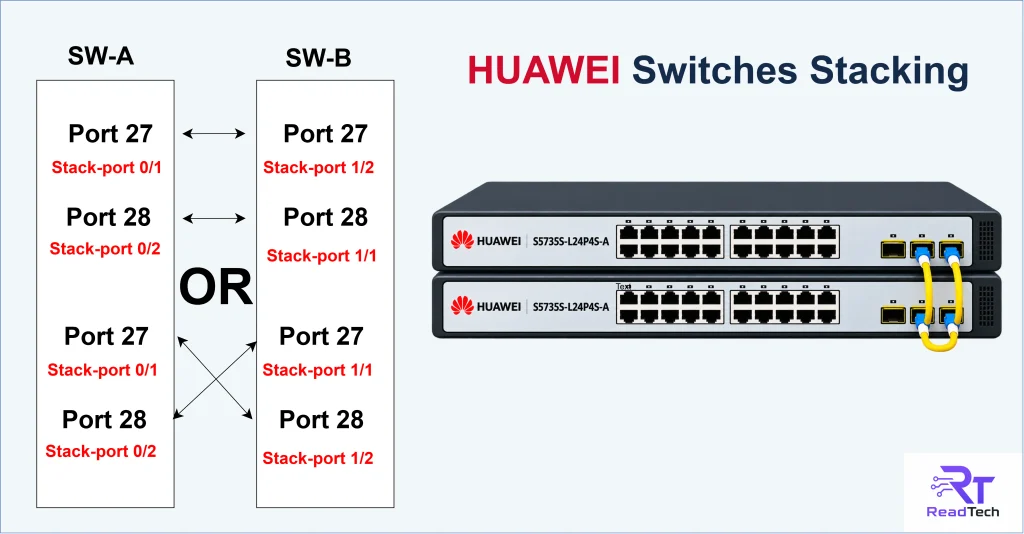
You can see the above picture of the Huawei switch connection. We can connect in a straight or cross order, meaning that port 27 with port 27 or port 27 with port 28 both are ok, but mostly engineers don’t know about this. let me explain you below
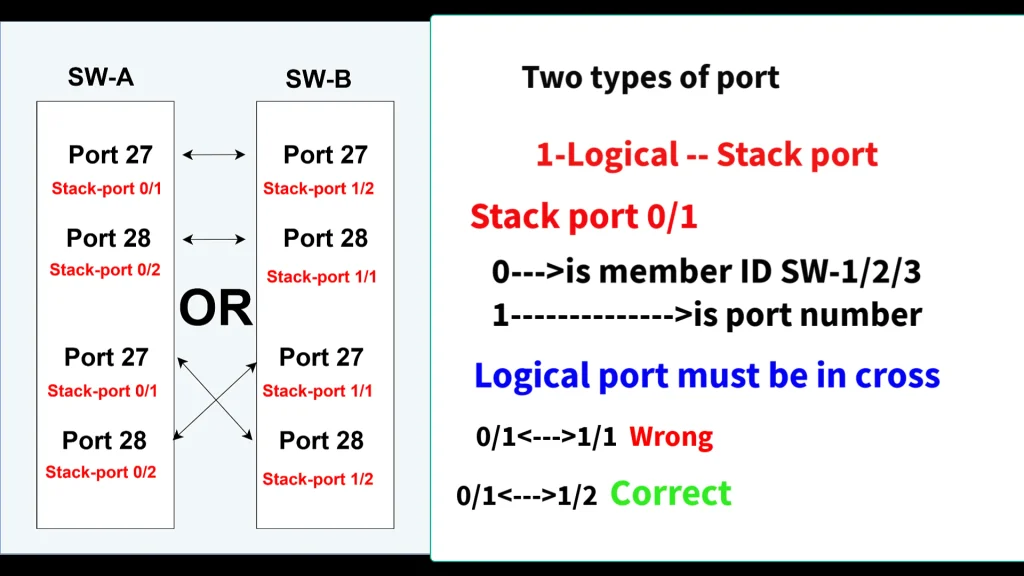
Logical port:
Physical port:
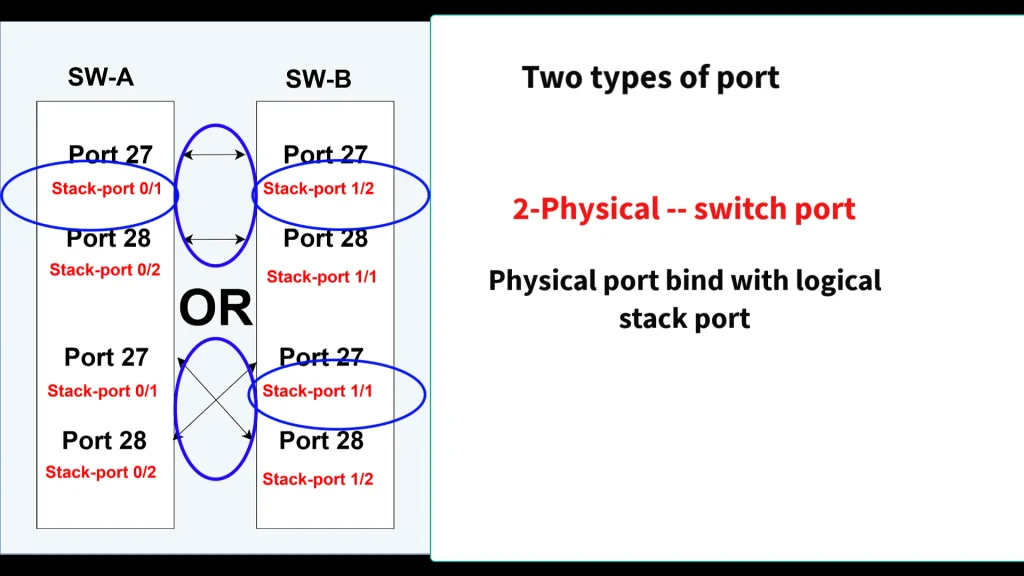
Check above picture there are two type of ports stack logical port & physical port. important point is that Logical port must be in cross order ,dont care about physical port.you can connect switch physical port in straight or cross but it should be bind to the stack logical port in cross.
Switch Configurations:
I am using ports 27 & 28 between switches A & B.
SW-A Configuration:
stack slot 0 priority 200

interface stack-port 0/1
port interface GigabitEthernet 0/0/27 enable

interface stack-port 0/2
 port interface GigabitEthernet 0/0/28 enable
SW-B Configuration:
stack slot 0 renumber 1

save configuration

reboot

---------------------------------------

stack slot 1 priority 150

interface stack-port 1/2
 port interface GigabitEthernet 1/0/27 enable

interface stack-port 1/1
 port interface GigabitEthernet 1/0/28 enable
YouTube Video:
Watch the complete step-by-step video on YouTube
if you have any questions, ask in the comments section.